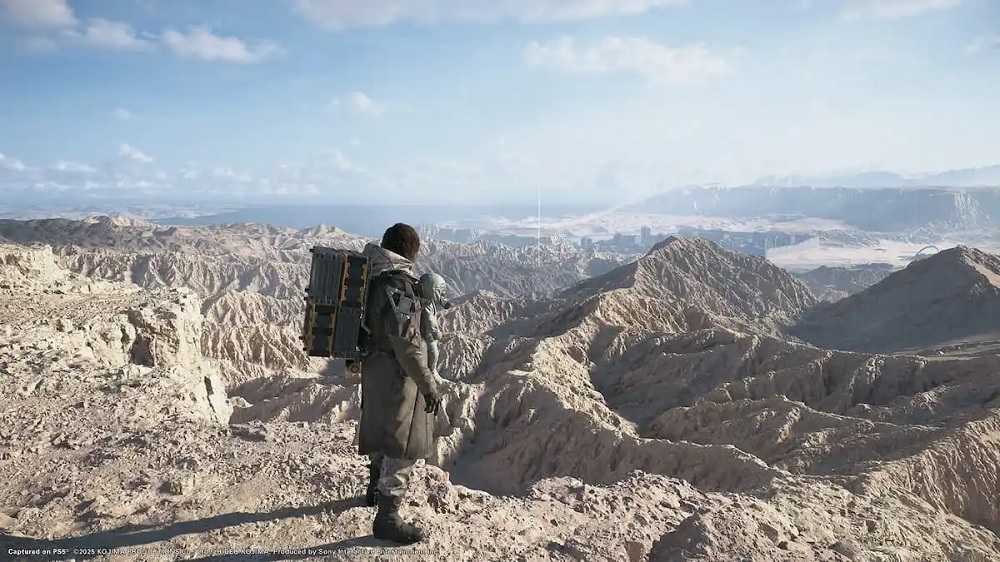
Death Stranding 2: On the Beach is now available on PC. Like the original game, it features a variety of systems to master, from traversal and combat to driving. Here are the full controls for the PC version, whether you prefer keyboard and mouse or a controller.
Death Stranding 2 PC Complete Controls for Keyboard and Mouse
Below are the full controls for Death Stranding 2, divided for keyboard and mouse players.
General Controls
| Action | Key |
|---|---|
| Move Forwards | W |
| Move Backwards | S |
| Move Left | A |
| Move Right | D |
| Crouch / Stand | C |
| Walk | Ctrl |
| Sprint | Shift |
| Jump / Climb | Space |
| Center Balance (Left) | Left Mouse Button |
| Center Balance (Right) | Right Mouse Button |
| Hold Breath | Alt |
| Carry on Back | E |
| Melee Attack | V |
| Scan | Q |
| Turn Odradek Light On / Off | 3 |
| Perform Action | F |
| Activate Terminal | F |
| Use / Dismount Vehicle | F |
| Ready Tool | Right Mouse Button |
| Place Structure / Fire Weapon | Left Mouse Button |
| Adjust Structure (Up / Length / Curve) | Mouse Wheel Up |
| Adjust Structure (Down / Length / Curve) | Mouse Wheel Down |
| Switch Structure | R |
| Weapon Attachment (Activate / Deactivate) | G |
| Change Firing Mode | B |
| Weapon Light (On / Off) | Z |
| Reload Weapon | R |
| Change Zoom Factor | Alt |
| Switch Camera Left / Right | T |
| Focus | T |
| Compass Mode | X |
| Send Likes | Y |
| Communication | Y |
| Rest | N |
| Open Cargo Management | I |
| Pause / Open Ring Terminal | Tab |
| Weapons / Tools | 1 |
| Signs | 2 |
| Fieldwear | 3 |
| Cargo Options | 4 |
| Photo Mode | F8 |
Vehicle Controls
| Action | Key |
|---|---|
| Use / Dismount Vehicle | F |
| Accelerate | W |
| Brake / Reverse | S |
| Steer Left | A |
| Steer Right | D |
| Speed Boost | Shift |
| Jump | Space |
| Wheelie | V |
| Drift | Ctrl |
| Emergency Battery Charge | B |
| Compass Mode | X |
| Send Likes | Y |
| Communication | Y |
Private Room
| Action | Input |
|---|---|
| Private Room Action 1 – 4 | 1 – 4 |
Death Stranding 2 Complete Controls for Controller
Here are the full controls for Xbox or PlayStation controllers.
| Action | Xbox | PlayStation |
|---|---|---|
| Move | Left Stick | Left Stick |
| Camera | Right Stick | Right Stick |
| Sprint | L3 | L3 |
| Switch Camera Left / Right | R3 | R3 |
| Jump / Climb | A | X |
| Crouch / Stand | RB | R1 |
| Hold Breath | Hold RB | Hold R1 |
| Balance (Left) | LT | L2 |
| Balance (Right) | RT | R2 |
| Scan / Odradek | LB | L1 |
| Compass Mode | Hold LB | Hold L1 |
| Perform Action / Interact | X | Square |
| Pick Up / Carry Cargo | Y | Triangle |
| Melee Attack | B | Circle |
| Ready Tool / Aim | LT | L2 |
| Fire / Use Equipment | RT | R2 |
| Reload Weapon | X | Square |
| Change Firing Mode | D-Pad Right | D-Pad Right |
| Weapon Light On / Off | D-Pad Left | D-Pad Left |
| Send Likes | View / Touchpad | Touchpad (Tap) |
| Communication | View (Hold) | Touchpad (Hold) |
| Open Cargo Management | Menu | Options |
| Pause / Ring Terminal | Menu | Options |
| Weapons / Tools | D-Pad Right | D-Pad Right |
| Fieldwear | D-Pad Left | D-Pad Left |
| Cargo Options | D-Pad Up | D-Pad Up |
| Signs | D-Pad Down | D-Pad Down |
| Photo Mode | View | Touchpad (Right Side) |
| Use / Dismount Vehicle | X | Square |
| Accelerate (Vehicle) | RT | R2 |
| Brake / Reverse (Vehicle) | LT | L2 |
| Steer (Vehicle) | Left Stick | Left Stick |
| Boost (Vehicle) | L3 | L3 |
| Jump (Vehicle) | A | X |
| Drift (Vehicle) | B | Circle |
| Scanner / Compass (Vehicle) | LB / Hold LB | L1 / Hold L1 |
Can You Rebind Controls in Death Stranding 2 on PC?
You can rebind keyboard and mouse controls via the dedicated remap section.
However, for controllers, you must enable Steam Input to remap buttons.
Death Stranding 2 DualSense Support on PC
When using a wired DualSense on PC, Death Stranding 2: On the Beach fully supports Haptic Feedback and Adaptive Triggers.
You can also change button prompts to match your preferred controller type and adjust numerous settings to fine-tune your controls experience.