
007 First Light delivers another exciting action experience from IO Interactive, complete with optional online features and limited cross-progression support. If you want to back up your local progress or transfer saves manually, here’s where the save files are located on PC.
| Client | Save File Location |
|---|---|
| Steam | C:\Program Files (x86)\Steam\userdata\[Steam ID]\1659040\remote |
Inside the Steam installation folder, open the userdata directory and select the folder tied to your personal Steam numeric ID. From there, look for the folder named 1659040, which is the official Steam App ID for 007 First Light. All of your local save data is stored inside the remote folder.
Because the directory path can be difficult to remember, it’s a good idea to back up the entire 1659040 folder and place it somewhere easier to access. If you ever need to restore your progress, simply move the folder back into the correct Steam ID directory.
Does 007 First Light Support Multiple Save Slots?
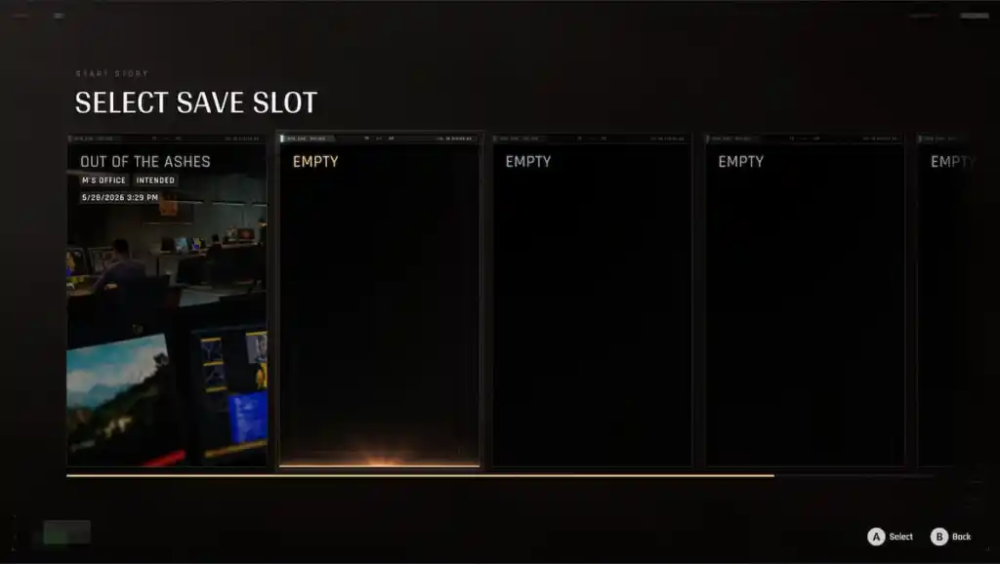
Yes, 007 First Light supports up to five separate save slots. To create a new one, head to the Start Story option in the main menu, where you’ll see all available save profiles.
Players can also delete existing save profiles whenever needed.
007 First Light Cross-Progression Explained
Although 007 First Light includes cross-progression through an IOI account, not all progress transfers between platforms. Only online-related progression carries over.
Shared Across Platforms
- Tac Sim Experience (XP)
- Tac Sim Clearance Level
- Tac Sim Inventory
- Campaign Challenges and Tac Sim Challenges progress
- Unlocks and Inventory
- IOI Account rewards
Not Shared Across Platforms
- Game and DLC licenses
- DLC-based unlocks
- Save files and campaign progression
- Collectibles
- Achievements and trophies
- Platform-specific leaderboards
In short, online progression is synced across supported platforms, but single-player campaign saves remain local.
007 First Light Steam Features
While 007 First Light is available on both Steam and the Epic Games Store, the Steam version includes several extra client-side features:
Steam Cloud
Your progress can automatically sync through Steam Cloud, making it easier to continue playing across multiple PCs.
Family Share
Steam Family Sharing support allows eligible family members to access the game from shared libraries.
Steam Input
The game offers full controller support, including DualSense compatibility. Steam Input also helps players use non-traditional controllers without additional setup.
Overall, IO Interactive has done an excellent job supporting PC players with multiple save slots, Steam integration, and optional online systems. While cross-progression has some limitations, the core single-player experience remains fully enjoyable offline.