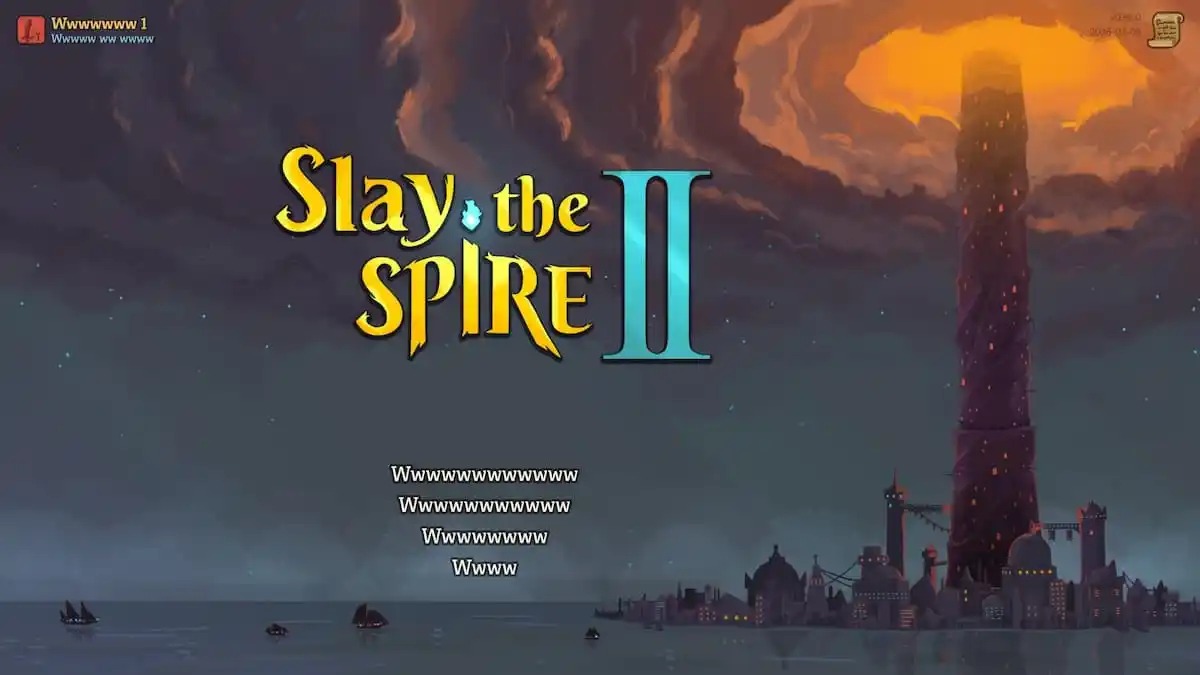
Slay the Spire 2 has launched in early access and quickly become one of the most talked-about releases of the year. While the game generally runs smoothly, some players have encountered a strange bug where most of the in-game text appears as a series of “W” characters instead of normal words.
Until the developers release an official patch, there are a couple of simple workarounds that may resolve the issue.
Change the In-Game Language to English
The first solution is to switch the game’s language to English.
From the main menu, select the third option, where you’ll find the language settings at the top of the menu. Choose English from the dropdown list. For many players, this immediately restores the text to normal.
Set Windows Language to English
If the problem continues, you may also need to change your Windows system language.
Open the Windows search bar, type Language, and go to the language settings. From there, set your Windows display language to English. Several users on platforms like Steam and Reddit have reported that this step fixes the bug completely.
Additional Troubleshooting Steps
If you are experiencing other technical issues alongside the text bug, the following general fixes may also help:
- Verify game files in Steam
- Open Steam and go to your Library
- Right-click Slay the Spire 2 and select Properties
- In the Installed Files tab, choose Verify integrity of game files
- Update DirectX and Visual C++ Redistributables
- Switch to the dedicated GPU if you’re playing on a laptop
- Add the game folder to your antivirus exceptions list
- Update your BIOS, especially if you’re using an Intel 13th or 14th generation processor
- Check that your Windows date and time are correct
- Update Windows to version 1909 or newer
- Confirm your PC meets the minimum system requirements
Because Slay the Spire 2 already supports multiple languages, it’s likely that the developers will address this issue in an upcoming update. Until then, the language workaround above should help most players continue their runs without the confusing wall of “W” text.