If you want to add some excitement to your BitLife gameplay or complete a specific challenge, summoning a ghost is a fun way to do it. However, this isn’t an option that’s immediately available—you’ll need a few steps to make it happen.
How to Find a Ghost in BitLife
Ghosts can only be encountered in Haunted Houses. Some examples include:
- Haunted Folly Castle Home
- Haunted Colonial Home
- Haunted Farm
- Haunted Ranch
- Haunted Trailer
- Haunted Villa
- Haunted Victorian Home
- Haunted Mansion
- Haunted Row House
Any property with “haunted” in its name contains ghosts. Your first task is to find and move into a Haunted House. If one isn’t available right away, try closing and reopening the app or aging up your character until a haunted property appears.
How to Summon a Ghost in BitLife
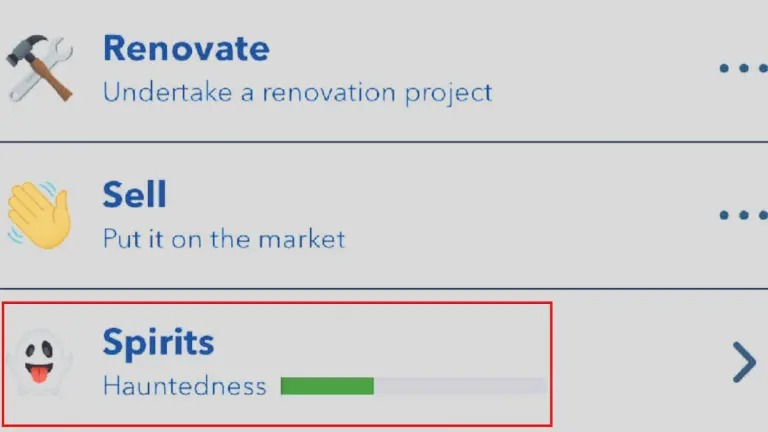
Once you have a Haunted House, you can summon a ghost through the Spirits page. Follow these steps:
- Purchase a Haunted House – Only haunted buildings allow ghost interactions.
- Go to the Assets page – Tap the money bag icon next to the age-up button.
- Select your Haunted House – Scroll through your assets to find it and click on it.
- Find the Spirits section – Inside your haunted property, locate the “Spirits” option and click it.
- Select Summon – Pick the Summon option to call a ghost.
- Repeat if necessary – Some ghosts may not appear on the first attempt, so keep trying until one is successfully summoned.
Interacting with ghosts is important for challenges like Humbug and Mistress of the Dark. Once you’ve mastered summoning, you can move on to other tricky challenges, such as becoming a painter, writing a best-selling book, or becoming a famous model.